

Thoughtful AI, built on clinician-approved content
SeamlessMD uses AI where it helps patients most, and keeps it grounded in the content health systems have already reviewed and approved. Meet Seamless Answers, our conversational AI, and our new AI-generated patient exercise videos.
Seamless Answers: AI that answers patient questions around the clock
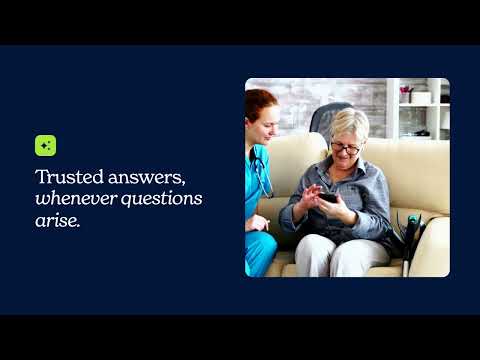
60% of patients already turn to general-purpose AI tools like ChatGPT with health questions, often outside business hours. Those tools don't know a patient's procedure or care instructions, and health systems can't see what guidance patients receive. Seamless Answers brings conversational AI into the SeamlessMD patient experience, so every question gets a response grounded in the care team's own approved content.
- Answers only from the health system's approved patient education library
- Cites its source and links to the full library page
- Directs patients to their care team when a question is out of scope
- Supports multiple languages
- Available for all our care plans which support 150+ conditions, procedures and treatments
Seamless Answers is helping patients when clinics are closed
- of questions asked outside business hours
- 55 %
- of questions asked overnight
- 26 %
- of questions asked on weekends
- 22 %
What health systems are saying
“At North York General, we are committed to delivering digitally enabled patient-centred care wherever and whenever people need it. Seamless Answers helps extend trusted support beyond hospital walls by giving patients access to clinician-approved information through an intuitive AI chatbot, creating a more convenient and connected care journey.”
 Duska KennedyVice President, Strategy, Digital Health and CDO, North York General
“We are excited to employ Seamless Answers as part of our Remote Care Management program, as it extends our reach by allowing patients to ask questions and receive answers after hours.”
 Kim FisherRemote Care Monitoring Specialist, Sault Area Hospital
“While Seamless Answers is a relatively new option for our patients at NBRHC, both our patients and the nursing team at NBRHC are pleased with the additional support it provides. It ensures that questions can be addressed even when staff are unavailable, contributing to more seamless and continuous care for our patient population.”
LPLindsey ParkesSeamlessMD Monitoring Nurse, North Bay Regional Health Centre
AI-generated patient exercise videos
Rather than generating health information from scratch, SeamlessMD uses AI to turn its established, evidence-based patient education content into ready-to-use videos. Patients watch demonstrations right inside the digital care plans they already use, so they can see clearly what to do instead of relying on written descriptions and illustrations alone.
- Every video is edited by a human and reviewed by a clinician before patients see it
- Built into patients' digital care plans, not a standalone video library
- Condition-specific
- AI-generated voiceovers and translated closed captions to reach patients in their native language

How each video is made
AI creates the visuals. People stay responsible for what patients see.
- Step 1
Start from approved content
Each video follows the evidence-based exercise instructions already in SeamlessMD care plans, the same content patients read today.
- Step 2
Create the visuals with AI
We use AI to create the visuals that demonstrate each exercise, step by step.
- Step 3
Edited by a human
Every video is reviewed by a human and professionally edited before it reaches a health system.
- Step 4
Reviewed by the clinical team
Health systems review each video the same way they review their illustrations, and can use it as is or ask for changes.
More sample videos

See how SeamlessMD's AI could support your patients
Book a demo to see Seamless Answers and our AI-generated exercise videos. Already a customer? Contact your Customer Success Manager to turn them on.